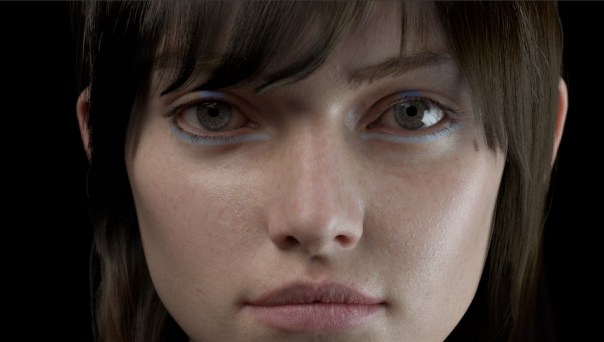
Very honored to receive Creative Commission’s November’s Album Cover of the Month for the cover of Kateboy‘s album ‘One’.

Very honored to receive Creative Commission’s November’s Album Cover of the Month for the cover of Kateboy‘s album ‘One’.


The camera rolling shutter effect can be used to create some very trippy and surreal effects.
Below is a video demonstrating this effect in MtoA using the new render view which gives some very nice realtime feedback.
A video tutorial that goes through the process in C4DtoA can be found here. Some more real world examples can also be found here.
I was having a play with the very versatile Utility shader assigned to a head mesh and accidentally came up with something that looks like a pencil sketch style. I scaled the head down in Z so that it’s almost flat. The Utility shader’s ‘Overlay Mode’ is set to Wire so that the wireframe of the mesh is visible and lowered the Opacity to 0.1 (remembering to disable ‘Opaque’ and ‘Cast Shadows’ on the mesh).


Below are in camera renders from Arnold (no post processing involved).

Delighted to see my artwork used on the latest album by Kateboy.
A 3D scan was taken of the lead singer Kate Akhurst which I used to project the curves onto in Maya. Kateboy then art directed how they wanted the curves to look in relation to the original head scan. I then rendered the image using Arnold for Maya by Solid Angle. A more technical breakdown of the process can be found in this tutorial.
The album can be ordered here:
iTunes: http://po.st/KBODLFB
CD and 12″ Vinyl: http://po.st/KBOPFB
While I appreciate the functionality of the new Hotkey Editor in Maya 2016, I feel it could be improved. My main bugbears with it are:

Anyway I mocked up a couple of ways to improve the look and feel of the window. Rant over 🙂
Recently inspired by Chad Ashley’s test with the alCurvature shader by Anders Langland, I thought I would also give it a test. It seems very useful for creating ‘dirt map’ effects. In the examples below it has been connected to the Diffuse Roughness attribute of the alSurface shader.

The examples below show both Negative and Positive modes (Positive selects convex regions while Negative selects concave regions of the turtle’s shell).
They use decreasing Radius values (smaller values pick out finer detail in the model, while larger values give a smoother result).


Many thanks to Josh Alexander for the use of his very cute turtle model.

The slides from my presentation at FMX 2015 can be found here (35,191 KB).
I created a guide to sampling in Arnold with the help from my colleagues at Solid Angle.
It is also available in the following flavors – MtoA SitoA HtoA C4DtoA.

Thrilled to be nominated 2015 Autodesk AREA artist of the year. Many thanks to those who voted for me!
Here are some tests I did last year using the alShaders by Anders Langland. Please bear in mind that they are by no means complete and some of the attributes may have changed (especially alSurface).
alSurface alRemapColor alPattern alLayer alInputVector alHair alGaborNoise alFractal alFlowNoise alCurvature alCombine alCellNoise alBlackbody
You must be logged in to post a comment.