A Lamborghini Murciélago model is now available as part of the Car Studio Lighting scenes on the Learning Scenes (MtoA). The car model is kindly provided by Pedro Fernando Gómez.
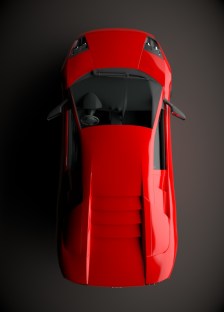
A Lamborghini Murciélago model is now available as part of the Car Studio Lighting scenes on the Learning Scenes (MtoA). The car model is kindly provided by Pedro Fernando Gómez.
Arnold Subscription has been announced.
For questions and all the details on Arnold subscription, please see the Arnold Subscription FAQ.
More information is available on the Autodesk Area website.
Below are some interesting real world lighting techniques that are applicable to lighting and rendering with Arnold.
Xuan Prada has made available a couple of lighting rigs. They are setup for MtoA, however, the HDRIs could be used for other Arnold plugins too.
Look Development Light-rig 0001 for Arnold
Look Development Light-rig 0002 for Arnold
Pluralsight have a course on studio lighting techniques with Maya and Arnold by Simon Brown.
Arvid Schneider has created an introduction to the new Standard Surface shader in Arnold 5 for Maya. It is still worth watching if you are using other Arnold plugins as the terminology is the same.
Arvid has created some excellent Arnold videos. You can support him on his Patreon page.

Reflection Lines is a useful Color Mode found within the Utility shader. It can be used to diagnose contour lines in a mesh when evaluating models.
This sort of shading is especially useful when modeling cars where surface evaluation is critical. Below is an example where it has identified some poor modeling in the hood of a car model.

Some more random examples below:


You must be logged in to post a comment.