
All posts by Lee Griggs

Refractive Portrait

In this tutorial we will explore how to create an abstract, painterly effect applied to a head scan model to produce a ghostly looking portrait. In this tutorial we will specifically use the alSurface shader to produce this effect. Arnold can make use of 3rd party shaders such as the alShaders by Anders Langlands. This collection of shaders will need to be installed prior to starting this tutorial. Further examples using this technique can be found here.
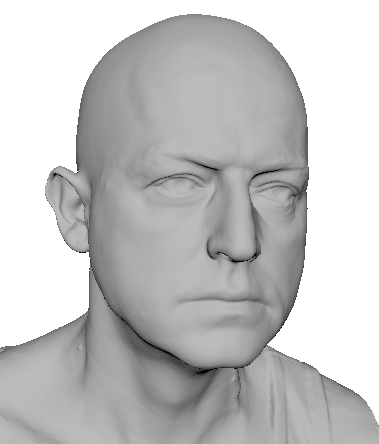
This tutorial makes use of this free head scan, kindly provided by Ten24.info.

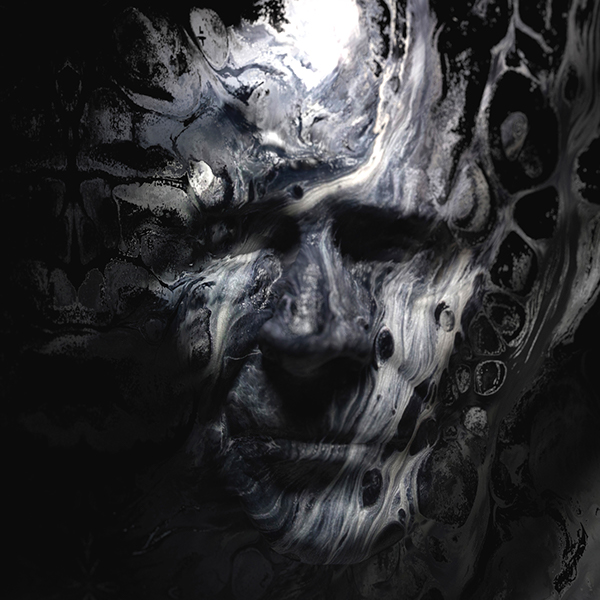

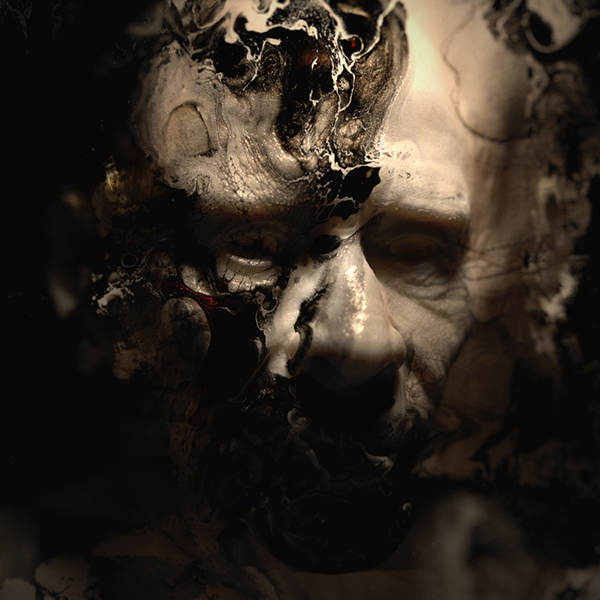
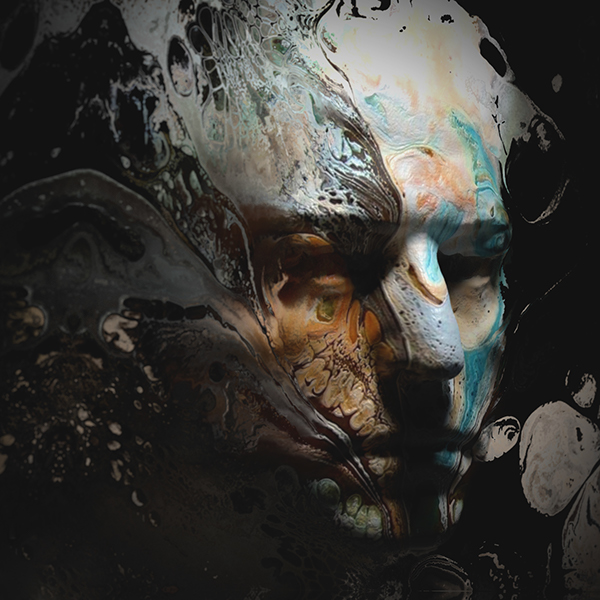
Head
Head Model
- Start off by opening the head scan model Male_Head_L4.OBJ in Maya. Create a new camera and rename it ‘RenderCam’. Position the camera so that it roughly matches the image at the top of the page. We will talk more about careful positioning of the camera later.
Head Shader
- Assign an alSurface shader to the head model. Create a file texture (with projection).
- Open your texture in the file texture. Be aware that some images work better than others. It helps if you use an image with a lot of contrast. It will give more variation in the refraction which will give the effect that the head is distorting and breaking up more.
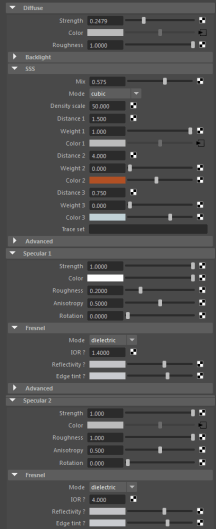
- Connect the file texture to the following attributes of the alSurface shader.
-
- Diffuse Color
- Opacity
- Specular Color
- SSS Radius Color
- Bump Value

The head model has a projected file texture connected to Backlight Color, Diffuse Color, Opacity, Specular Color and SSS Radius Color attributes of the alSurface shader. Right alSurface shader attributes.
Refractive Plane
- Create a polygon plane and position it so that it intersects the face as in the image below. We will use this plane to refract the rest of the head using the same texture map.

Ensure that you disable ‘Opaque‘ for the polygon plane otherwise the refractive texture will not work correctly.

Poly Plane Normals
The direction that the the plane is facing in can have a large effect on the rendered result. The images below show the difference when rendering with the normals pointing inwards vs outwards.
 Normals facing outwards (left). Normals facing inwards (right).
Refractive Plane Shader
- Create another alSurface shader and assign it to the plane.
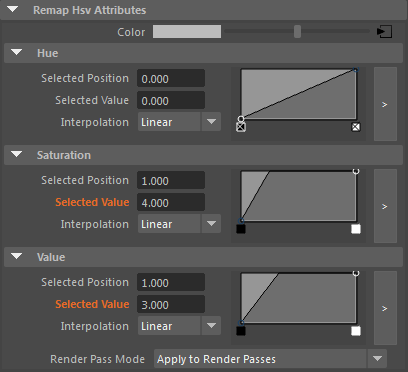
- Connect the same projection texture map used for the head into the Transmission IOR (andBacklightColor) via a Maya remapHSV node.

The refractive plane has same file texture but is connected to Transmission and Backlight Color.

Texture Projections
In most cases setting the Projection Type to Perspective works best for this effect to work. However, it is also possible to get some interesting results by using some of the other texture projection methods.

 Projection Type: None, Ball, Cubic, Spherical.
Remap HSV
You can use a node such as the Remap HSV to give more control over the effect the texture map has on the Transmission IOR. The animation below shows the effect of the Remap HSV ‘Value’ attribute being animated from 1 to 5.
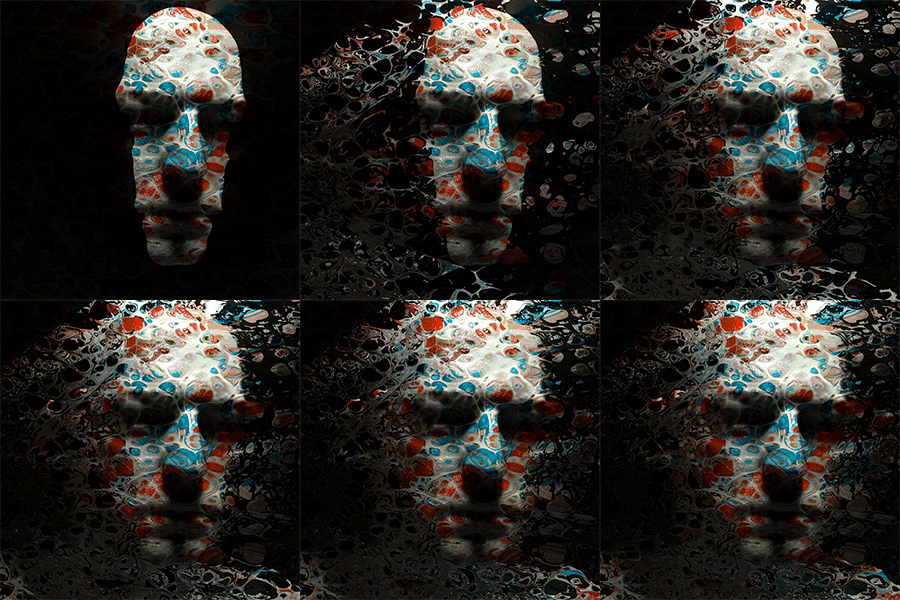
Camera Angle
Careful positioning of the camera should be ensured otherwise the illusion will be broken. This can be seen in the animation below, where the camera has been rotated too far.

Transmission Roughness
Increasing the amount of Transmission Roughness can help to soften the refractive effect. However, increasing this value too much can make the refractive effect appear too soft. Ensure that you have enough Refraction Samples when using Transmission Roughness. In this case a value of 4 was used.

Transmission Roughness: 0, 0.5, 1
Volume Scattering Color
You could also try adding some Volume Scattering to the scene to add some more integration of the head model with the background texture. Be warned however, that this technique can be prone to noise when using bright light sources and high specular values. This can be minimized by increasing the Specular Roughness for the head shader.

Same projected texture map connected to the Volume Scattering Color
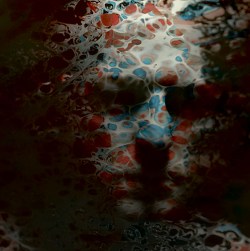

Enabled (left). Disabled (right).
Black and White
Converting the final rendered image to black and white in Photoshop (Image> Adjustments> Black and White) can also yield some interesting results. The images below show some of the effects available.

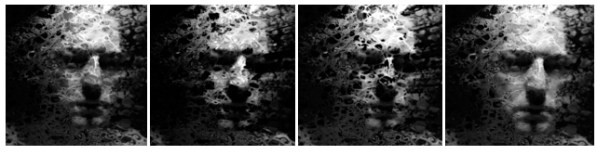 Default, High contrast blue filter, Infrared, Maximum White
That concludes this tutorial on how to create an abstract refractive effect using the alSurface shader. You can also try this technique using different shaders and textures to get many interesting effects. The key is to just experiment with it and see what happens. You may be surprised by the results!
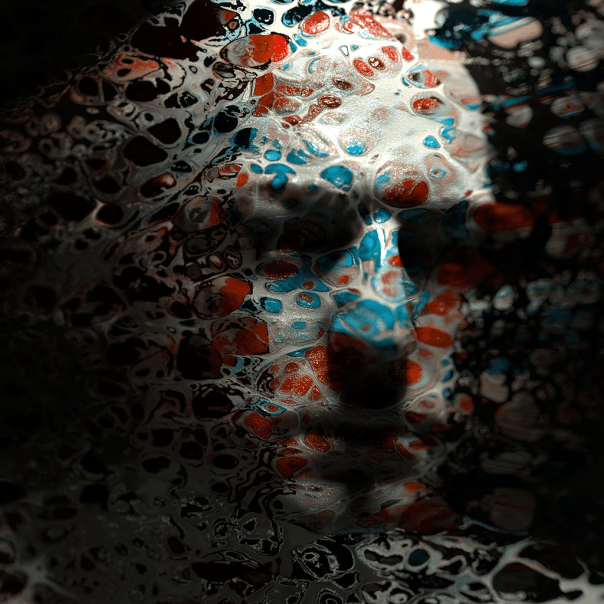
Flipped Normals Studio Lighting
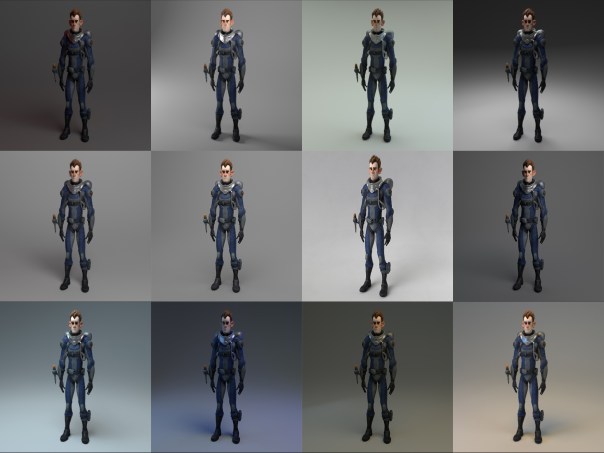
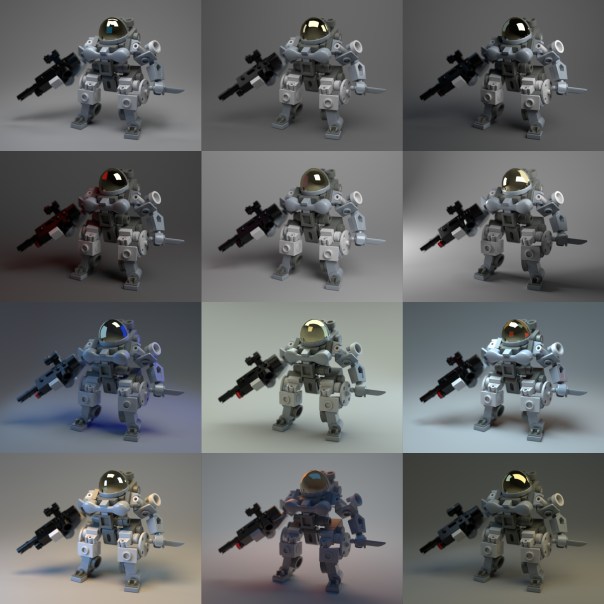
Flipped Normals have a free studio lighting scene available for rendering with Arnold for Maya. I highly recommend the full scene as a quick and easy way to light your models realistically using Arnold for Maya.
Making of ‘Blockhead’
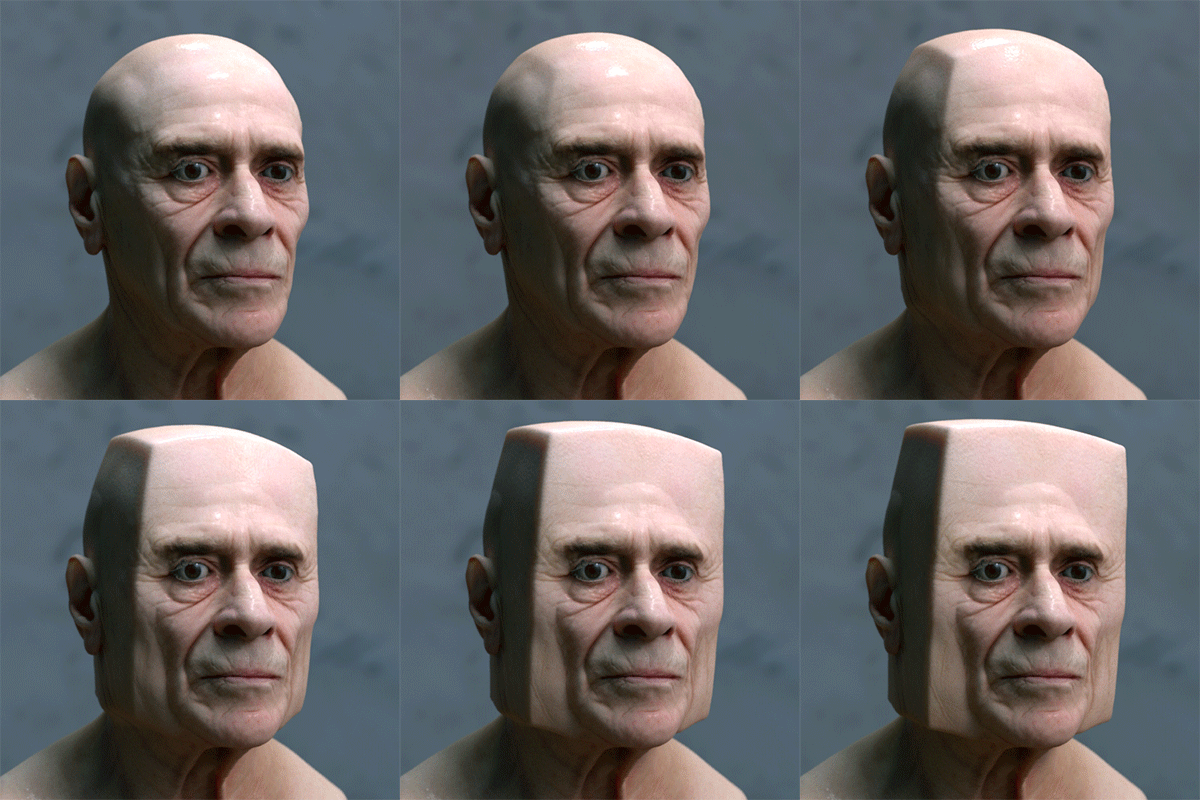
This ‘making of’ tutorial covers how to deform a head model into a surreal shape using the L3 Deformer plugin from Lightstorm3D (purchase required). This toolset is a collection of advanced deformation nodes and utilities for Maya. We will focus on the Collision Deformer in this tutorial. We will then move onto shading and lighting the head model to create a convincing photographic portrait look to our render. We will use the alSurface shader to add skin shading to the model with Arnold. Arnold can make use of 3rd party shaders such as the alShaders by Anders Langlands. This collection of shaders will need to be installed prior to starting this tutorial. Further examples using this technique can be found here.
This tutorial is divided into the following sections:
- Deforming the Head
- Shading
- Lighting


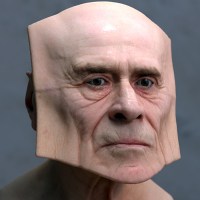
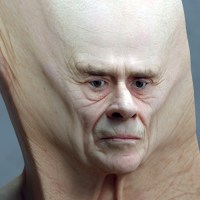
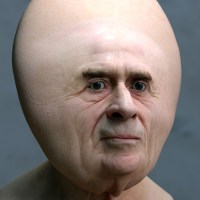
Head scan deformed using various Collider shapes such as spheres and cubes
Requirements
Before you start this tutorial ensure that you have downloaded and installed the following files:
|
Deforming the Head
Make sure that the L3 Deformer plugin is installed correctly and loaded in the Maya Plug-in Manager before starting this tutorial.
Collision Deformer
The Collision Deformer allows you to collide objects with polygon geometry, using projected collisions such as directional, concentrical and cylindrical.
- Start off by opening the head model.
- Create a polygon cube and position it roughly in the same position as in the image below. Bevel the edges of the cube. This will give a softer edge to the head deformation effect.
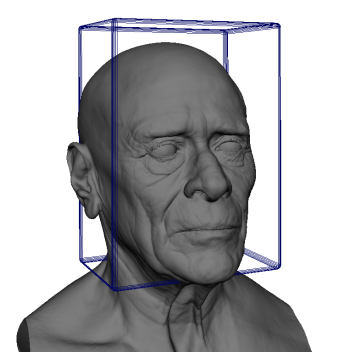
Bevelled polygon cube positioned around head model
- Select the head geometry and go to Lightstorm3D> Deformer> Collision Deformer> Create Collision Deformer. Change the Collision Deformer name to ‘Head’ and click on Create Collision Deformer.
Collision Deformer Settings
- It is possible to increase the Envelope above 1 to exaggerate the deformation effect. In this case a maximum value of 2 has been used. You can also disable Mesh Relaxing as this won’t be necessary for such a simple cube shape.
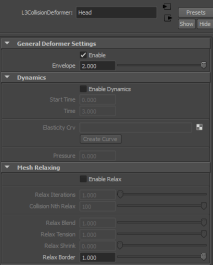
Collision Deformer settings
Collider
The Collider node comes with some extra attributes aside from specifying the type of projection. You can choose between inward and outward projection for concentrical and cylindrical projections. You can also specify which side of a polygon to consider during collision detection (frontal, posterior or both). Soft depth and resistance attributes simulate the effect of soft collision geometry that can be compressed to some degree.
In this tutorial we will use the default concentrical collider setting, but we will alter the Soft depth and resistance values to achieve a smoother deformation effect.
- Select the cube geometry and go to Lightstorm3D> Deformer> Collision Deformer> Create Collider. Choose Head from the Deformer List and click on Create Collider.

Head geometry ‘colliding’ with cube geometry using the default settings
Collision Settings
The deformation effect currently looks too angular. We will need to change some of the default Collision Settings to give a softer merge between the head and the cube.
- Reduce the Soft Depth to around 0.1 and the Soft Resistance to around 0.05. Reducing the Weight slightly also helps to ‘soften’ the collision effect.
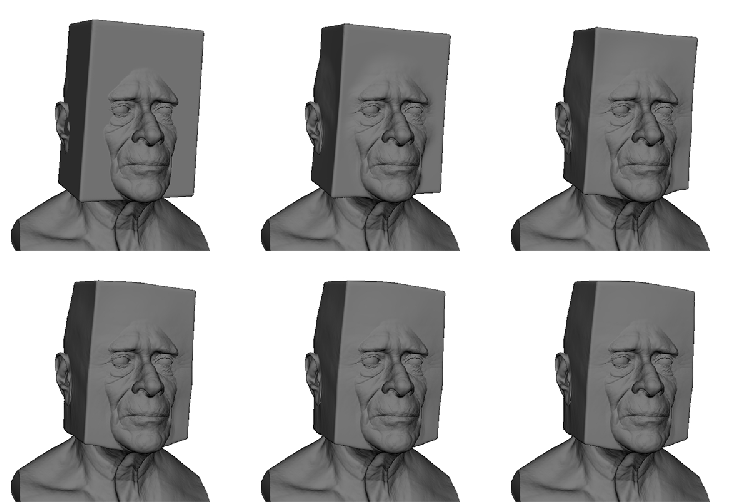
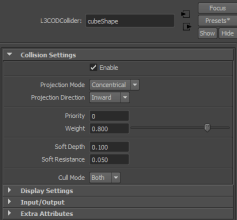
Adjusting the Collider Settings gives a softer collision effect
Shading
| Remember to convert your textures to .tx format using the TX Manager for more efficient rendering. You should use .tx files for everything (except with the aiSkydome and Quad lights). |
- Assign an alSurface shader to the head model. Change its Preset to als_Skin to give you a good looking skin preset to start off with.
- Connect the head color map to the Diffuse Color and SSS Radius color attributes. Change the SSS Mix to around 0.4 (0 means no SSS, full diffuse. 1 means full SSS no diffuse).
- Increase the SSS Density Scale to around 40 (depending on the scale of the model). Higher values mean a larger and a harder looking SSS. Lower values mean smaller and a more softer looking SSS.
- Connect the normal map file to the Bump map attribute. Change it to use Tangent Space Normals.
- Connect the specular map to the Specular 1 Color attribute. Reduce the Specular Strength to 0.1 and the Specular Roughness to 0.1.

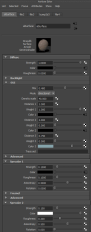
alSurface shader skin settings
SSS Mode
Below you can see the difference when rendering with the SSS modes: Cubic and Directional. The difference is subtle, but Directional SSS is generally recommended for skin as it has less of a ‘waxy’ appearance.
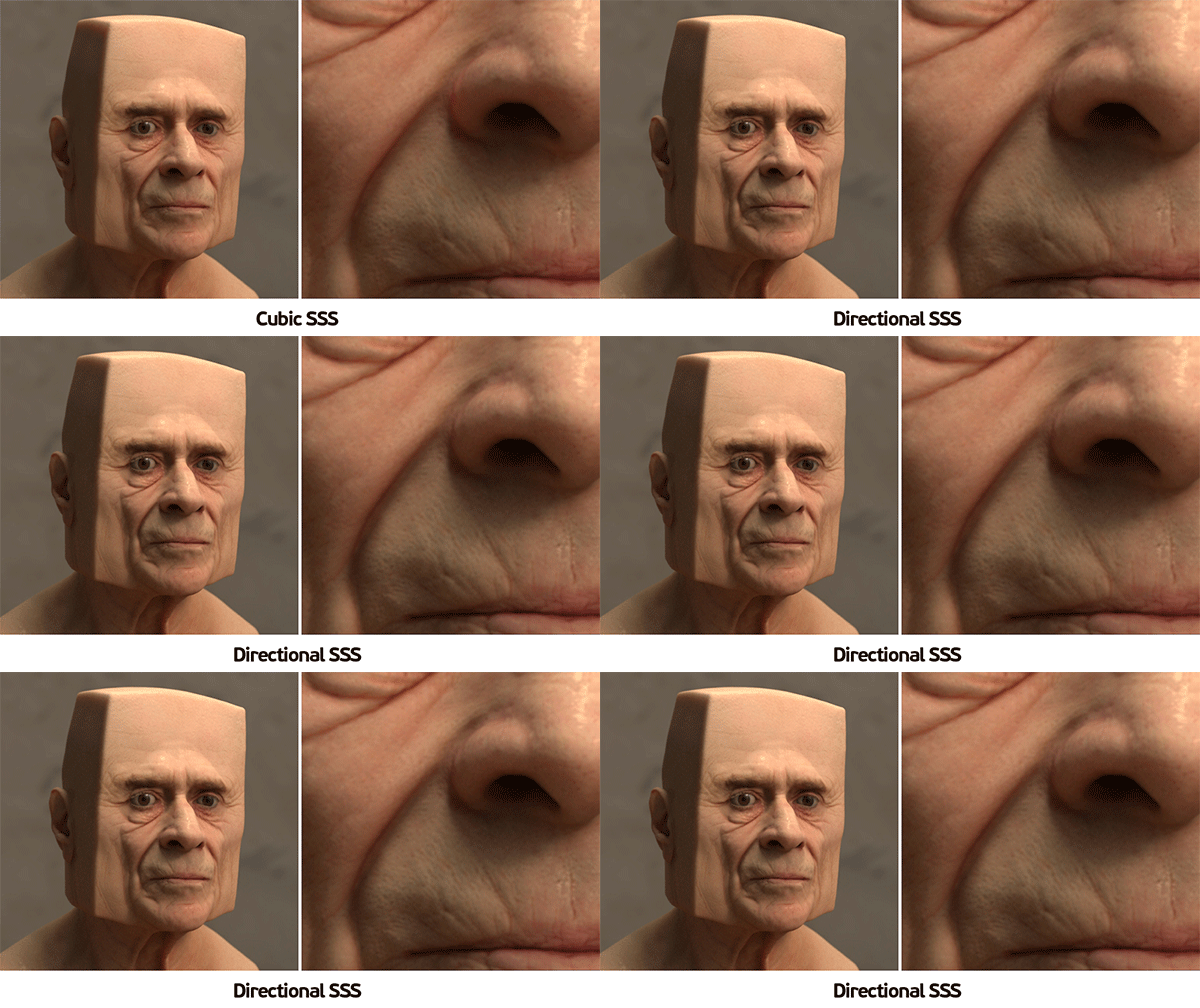
SSS Mode: ‘Cubic’ (looks too waxy) vs ‘Directional’ (recommended for skin).
Lighting
- Create an aiSkyDome light and connect a file texture to the Color attribute. Open the hdr map below in the file texture.
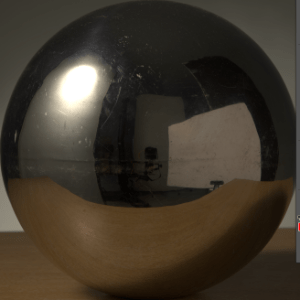
- Change the format of the aiSkyDome light to mirrored_ball to match the hdr format above.
- The overall lighting looks a bit flat with just the aiSkyDome light. We can add some more focused, directional lighting to the head model. Create two cylinder lights and place them above (in front and behind) the model. Enable Use Color Temperature for the cylinder lights and change the Temperature to around 5000 to give a warmer look to the scene lighting.

aiSkydome light only looks flat (left).aiSkydome light with cylinder lights (right) looks more interesting.

Final scene lighting. aiSkyDome light with two aiArea cylinder lights
Render Settings
For final rendering increase all light Samples to 3 and increase Camera (AA) to 5 or 6. The SSS looks a little noisy with SSS Mode set to Directional using the default settings. Try increasing the SSS to 3 or 4 for the final render. Beware that increasing SSS samples can have a large impact on render time.

SSS Samples 2 (left). SSS Samples 4 (right).
Post Processing
Applying Auto Tone to the image in Photoshop adjusts the tonal values and gives a more pleasing ‘photographic’ look to the render. Remember to convert the image to 8-bit prior to using Auto Tone.

Before ‘Auto Tone’ (left). After ‘Auto Tone’ (right).
That concludes this making of tutorial. Why not have a go at producing some bizarre and surreal head shapes using this technique!

Creative Commission’s Album Cover of the Month
Very honored to receive Creative Commission’s November’s Album Cover of the Month for the cover of Kateboy‘s album ‘One’.
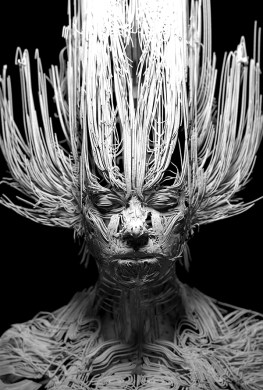
Camera Rolling Shutter in Arnold

The camera rolling shutter effect can be used to create some very trippy and surreal effects.
Below is a video demonstrating this effect in MtoA using the new render view which gives some very nice realtime feedback.
A video tutorial that goes through the process in C4DtoA can be found here. Some more real world examples can also be found here.
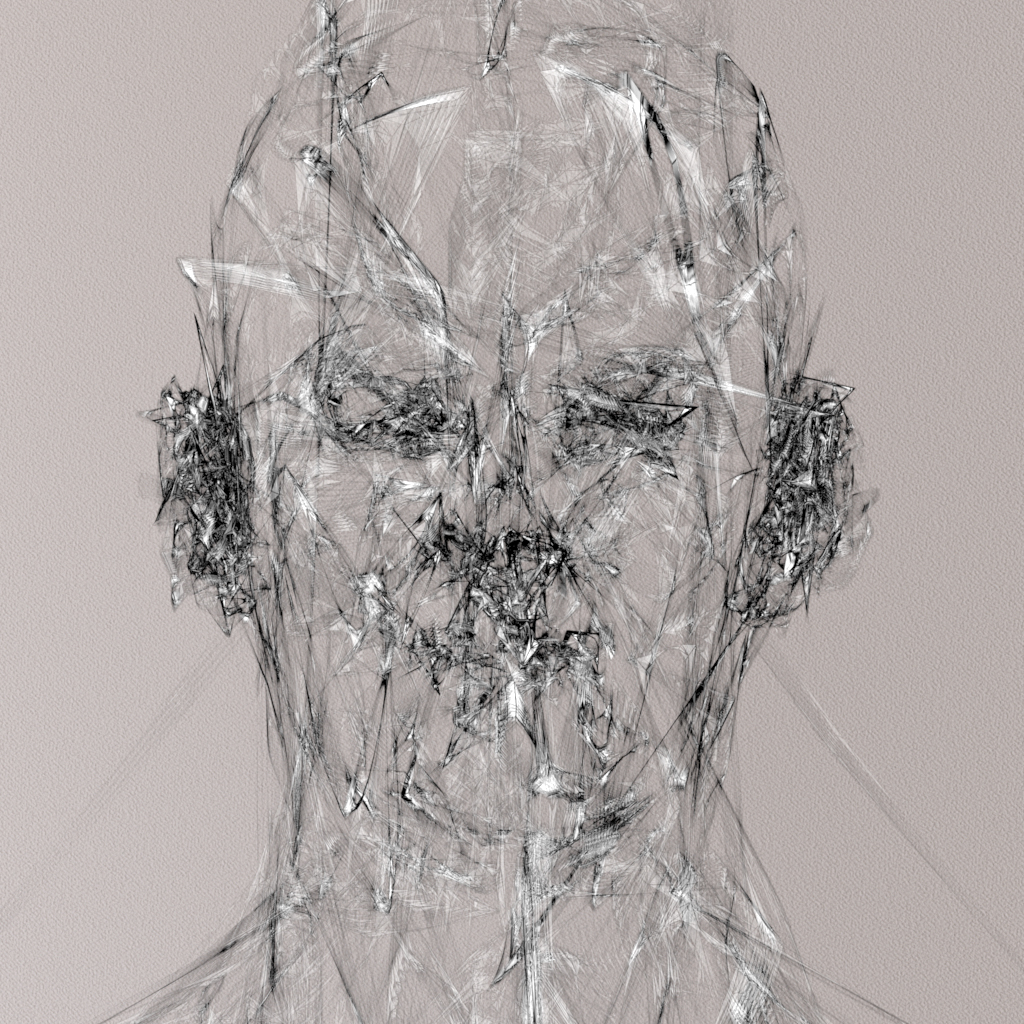
2D sketch style in Arnold
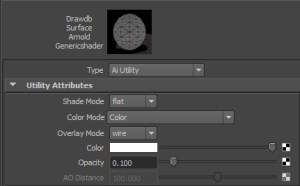
I was having a play with the very versatile Utility shader assigned to a head mesh and accidentally came up with something that looks like a pencil sketch style. I scaled the head down in Z so that it’s almost flat. The Utility shader’s ‘Overlay Mode’ is set to Wire so that the wireframe of the mesh is visible and lowered the Opacity to 0.1 (remembering to disable ‘Opaque’ and ‘Cast Shadows’ on the mesh).

Below are in camera renders from Arnold (no post processing involved).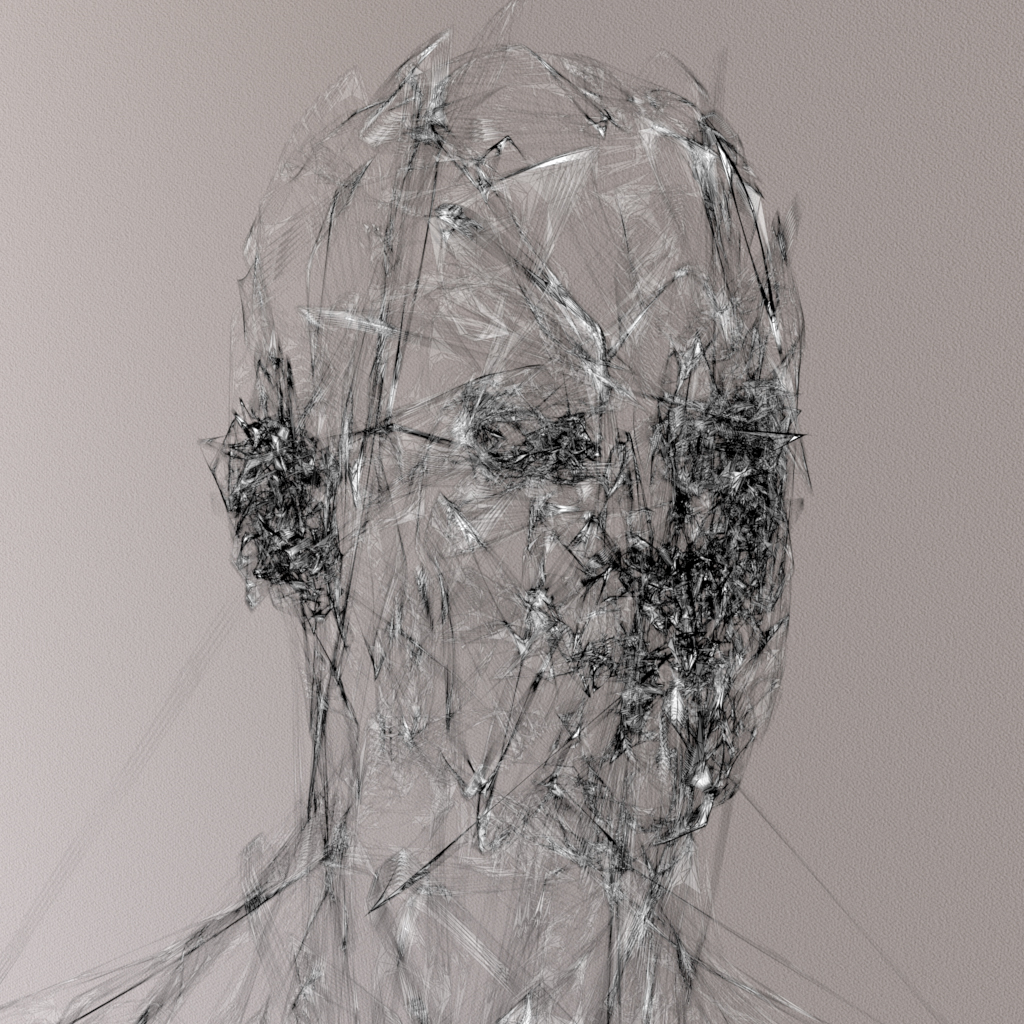


Kateboy album – ‘One’
Delighted to see my artwork used on the latest album by Kateboy.
A 3D scan was taken of the lead singer Kate Akhurst which I used to project the curves onto in Maya. Kateboy then art directed how they wanted the curves to look in relation to the original head scan. I then rendered the image using Arnold for Maya by Solid Angle. A more technical breakdown of the process can be found in this tutorial.

The album can be ordered here:
iTunes: http://po.st/KBODLFB
CD and 12″ Vinyl: http://po.st/KBOPFB
Hotkey Editor Maya 2016
While I appreciate the functionality of the new Hotkey Editor in Maya 2016, I feel it could be improved. My main bugbears with it are:
- It takes far too long to open, much like the new Hypershade window.
- Its far too large and cannot even fit on my screen at lower resolutions.
- It cannot be resized.
- Changing the ‘Search By’ menu loses your hotkey so you have to add it again.
- No option to change a hotkey when creating a new Runtime Command (have to search for it afterwards).
- Can’t save settings for the window itself, so I have to keep changing the ‘Search by’ to Hotkeys every and ‘Keyboard’ to ‘Runtime Commands’ every time I use it.
- Im also getting lots of issues with having to press keys twice to get them to work (a conflict somewhere), but that’s another issue.
- It has a super ugly pop up window after saving a Runtime Command that has to be clicked on, which is almost as annoying as this window that I seem to see every time I open a scene and that interrupts everything.

Anyway I mocked up a couple of ways to improve the look and feel of the window. Rant over 🙂


alCurvature shader
Recently inspired by Chad Ashley’s test with the alCurvature shader by Anders Langland, I thought I would also give it a test. It seems very useful for creating ‘dirt map’ effects. In the examples below it has been connected to the Diffuse Roughness attribute of the alSurface shader.

The examples below show both Negative and Positive modes (Positive selects convex regions while Negative selects concave regions of the turtle’s shell).
They use decreasing Radius values (smaller values pick out finer detail in the model, while larger values give a smoother result).
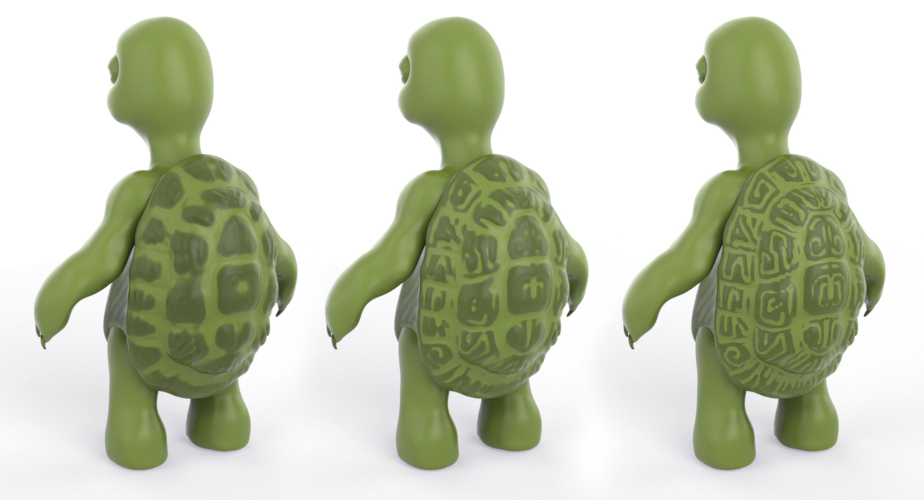
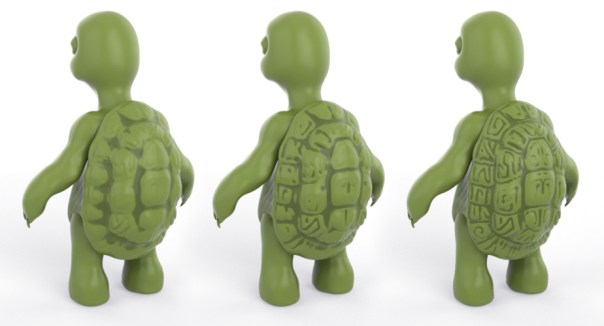
Many thanks to Josh Alexander for the use of his very cute turtle model.


You must be logged in to post a comment.