
alCel
Cel shading is a rendering technique used to simulate the lighting in cartoon animation. In this short tutorial we will use the alCel shader to apply a cel shaded look to the skin of an anime style character.
- Start off by assigning an alCel shader to the skin surface of the model.
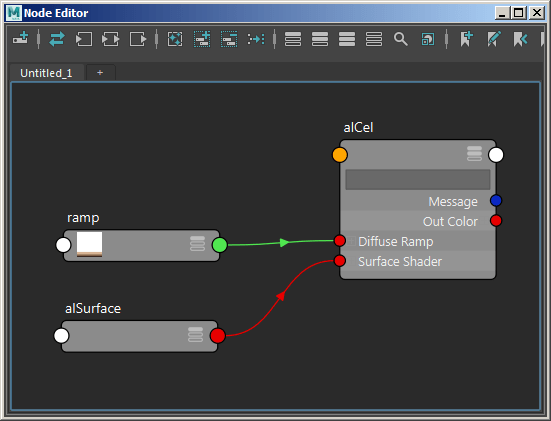
- Create an alSurface shader and connect it to the Surface Shader attribute of the alCel shader. We don’t want to add any specularity to the toon shading so reduce the Specular value to 1.
Ramp
- Create a ramp texture and connect it to the Diffuse Ramp attribute of the alCel shader. Change the Interpolation to none. This will give a toon like shading effect. Create a colored gradation similar to the example below.

The final shader network should look like this:
alCel: Diffuse Strength
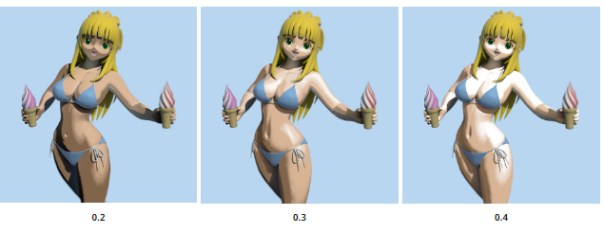
We can adjust the toon shading effect using the Diffuse Strength. This attribute acts as a multiplier on the diffuse component before being passed through the ramp.
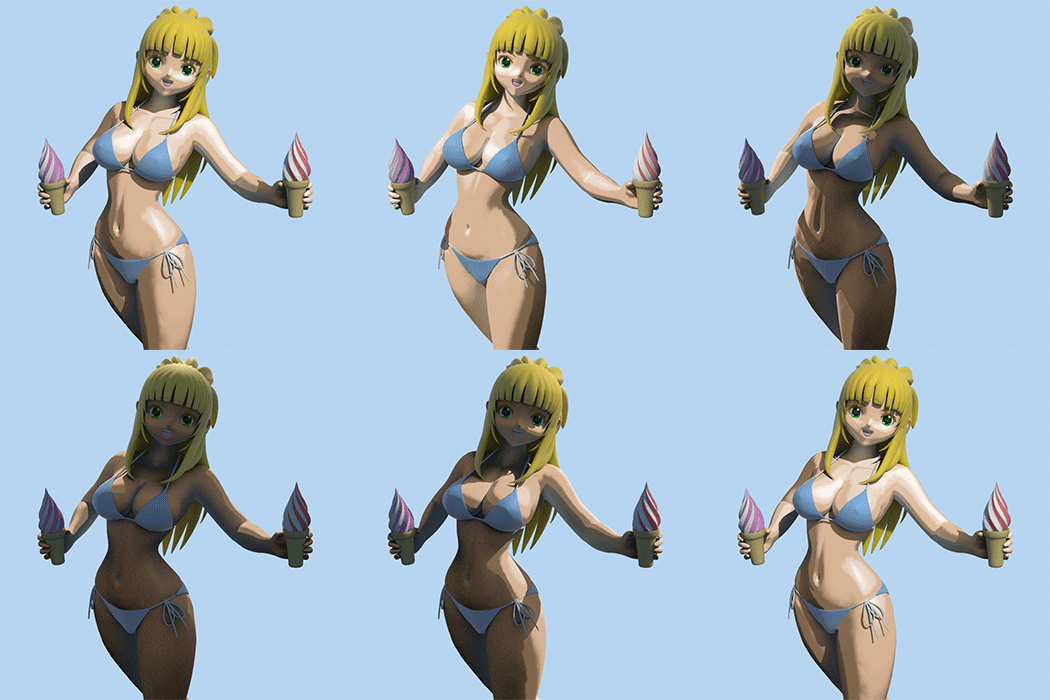
A simple way to tint the skin is to apply some color to the Diffuse Color of the alSurface shader. This will give the model a quick and easy tan!

That concludes this tutorial on how to create a toon shading effect using the alCel shader.
The MtoA shader used in this tutorial is available here.
 arnold-rendering.com